Back to Videos & GuidesDownload printable guide (PDF)
VOLADOR VDX35
Getting started
BUILD GUIDE | Updated October 16, 2026
Illustrated cover. The photographs inside show the actual aircraft.
Your equipment
Volador VDX35 aircraft, configured DJI Goggles N3 and configured charcoal RadioMaster Pocket Crush. A 4S flight battery is required. No batteries or chargers are included. Batteries visible in photographs are demonstration items only.
This guide helps you inspect and understand the package before flight. It does not certify a tune, flight test, GPS Rescue setup or a particular switch assignment. Confirm the handover checklist on page 6 with the builder.
Remove every propeller before bench setup. Keep the aircraft disarmed, disconnect the flight battery before handling it, and provide cooling during powered video-system setup.
1 / Meet the aircraft
| Component | This build |
| Frame / prop size | Flyfish Volador VDX35, T700 carbon / 3.5 inches |
| Flight controller / ESC | Flywoo F722 Mini Pro / 45A AM32 |
| Motors | Spark VCI 1404 4000KV |
| Video system | DJI O4 Air Unit Pro |
| Control receiver | Happymodel 2.4GHz ExpressLRS |
| GPS / buzzer | BZ-181 M10 / loud buzzer |
| Flight battery | 4S required; not included |
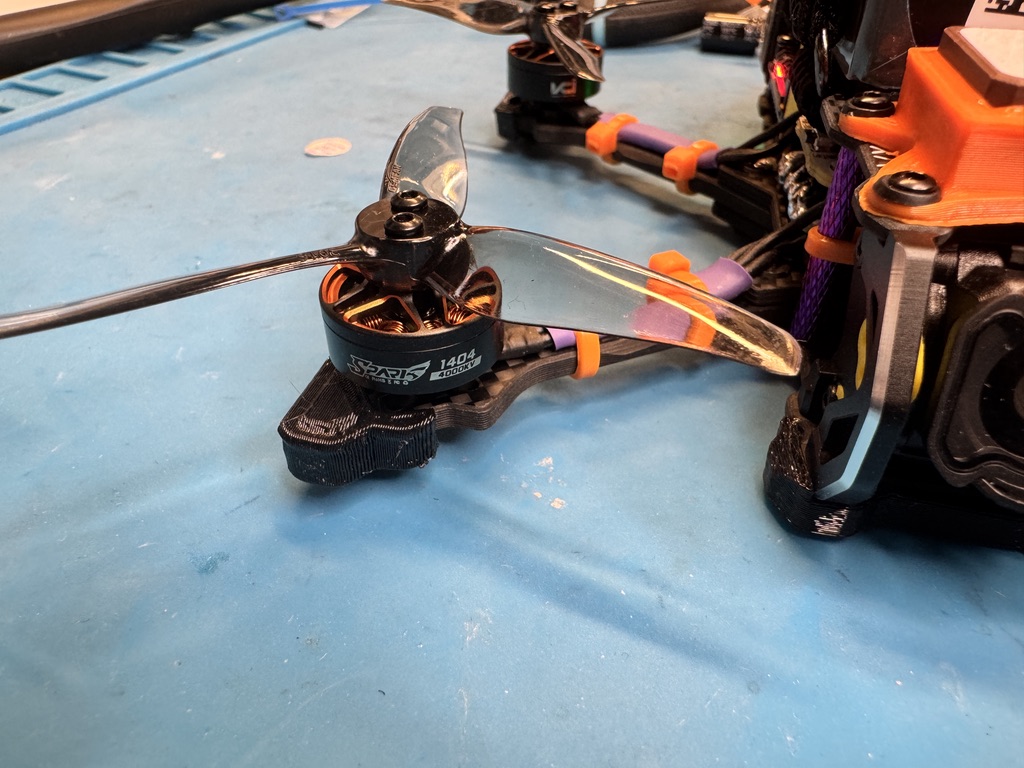
Actual motor close-up: 1404 4000KV.
Receiver identification: Michael identifies the fitted unit as EP1 with a built-in ceramic antenna. Happymodel documentation distinguishes EP1 and EP2 antenna designs, so check the board marking before selecting a receiver firmware target. Do not flash a target based on the model name alone.
2 / Battery and bench setup
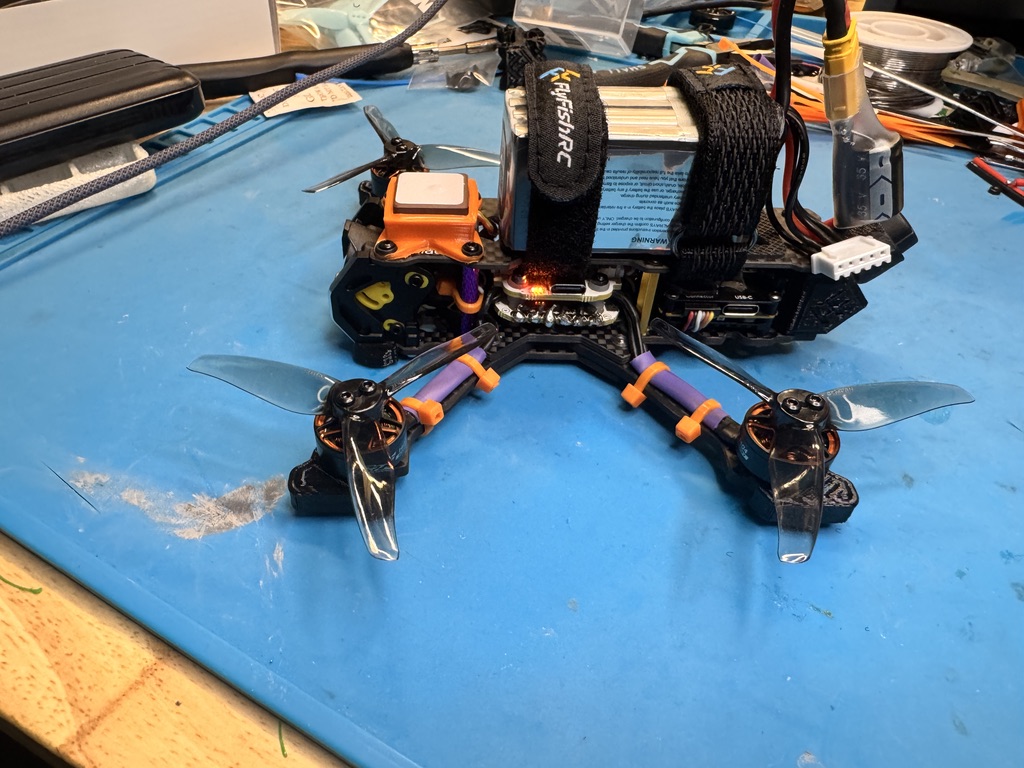
Actual installation reference. The pictured battery is NOT included.
Use 4S only for this package. Confirm the connector, polarity, pack dimensions and suitable capacity with the builder before purchase. This guide does not prescribe a capacity. Do not assume a physically fitting connector means the voltage is suitable.
With power disconnected, inspect the frame, motor screws, props, antenna mounts, wire insulation and battery straps. Position a suitable pack securely; keep its main lead and balance lead away from every propeller arc. Do not obstruct the GPS antenna or cooling.
Use charging equipment appropriate for the exact battery chemistry and cell count. Follow the pack and charger instructions, charge attended on a suitable nonflammable surface, and do not use damaged or swollen packs. Disconnect the pack after use; use the manufacturer's storage procedure.
The Pocket Crush uses two suitable 18650 cells. No removable radio cells or charger are supplied with this package. Follow RadioMaster polarity and charging instructions; never substitute the aircraft's 4S pack as the radio supply.
3 / Two separate radio links
Control: Pocket Crush to ExpressLRS receiver
The configured Pocket Crush sends stick and switch commands to the Happymodel receiver. Start with the supplied model configuration; do not erase it or update firmware merely because an update is available. Save backups first.
With props removed, switch on the radio, select the correct model and power the aircraft as instructed for the build. In Betaflight, confirm roll, pitch, yaw and throttle respond correctly. Identify the arm switch and each assigned mode. Keep throttle low and verify disarm behavior.
If control does not connect, check the selected model, receiver power and ExpressLRS version compatibility. Binding method depends on the installed configuration. Follow the ExpressLRS binding documentation; do not disclose or overwrite a private binding phrase casually.
Video: O4 Air Unit Pro to Goggles N3
The goggles receive the camera picture through DJI's video link. A live image is not proof that the control receiver is linked. Likewise, a working radio does not establish the video connection.
Begin with the configured pairing. If the image is missing, confirm the compatible product mode and firmware using DJI's O4 documentation. Complete any required activation, then use the documented linking procedure. Leave propellers off and cool the air unit during powered setup; avoid prolonged stationary operation without airflow.
Before flight, verify a clear live picture, useful battery telemetry and the display information you rely on. Record goggles and radio configuration details at handover rather than guessing switch names.
Link check
Control confirmed? Correct channel movement and switches.
Video confirmed? Clear live camera image.
Both required. Stop if either connection behaves unexpectedly.
4 / Betaflight, GPS and first flight
Back up the current configuration before changing it. Record the installed firmware version and save a CLI diff all. This build's firmware version has not been confirmed; do not apply a version-specific CLI recipe blindly.
With props removed, check board orientation, receiver channels, arming/mode ranges and battery readings. Confirm motor order and rotation using the correct Betaflight procedure. Prop rotation for this build is unconfirmed: fit each prop only after matching its orientation to the verified motor direction. Never use a guessed props-in/props-out diagram.
Have the configured failsafe behavior explained and checked safely with props removed. GPS Rescue needs its own setup and flight testing. GPS hardware alone does not establish a safe return function, position hold or obstacle avoidance.
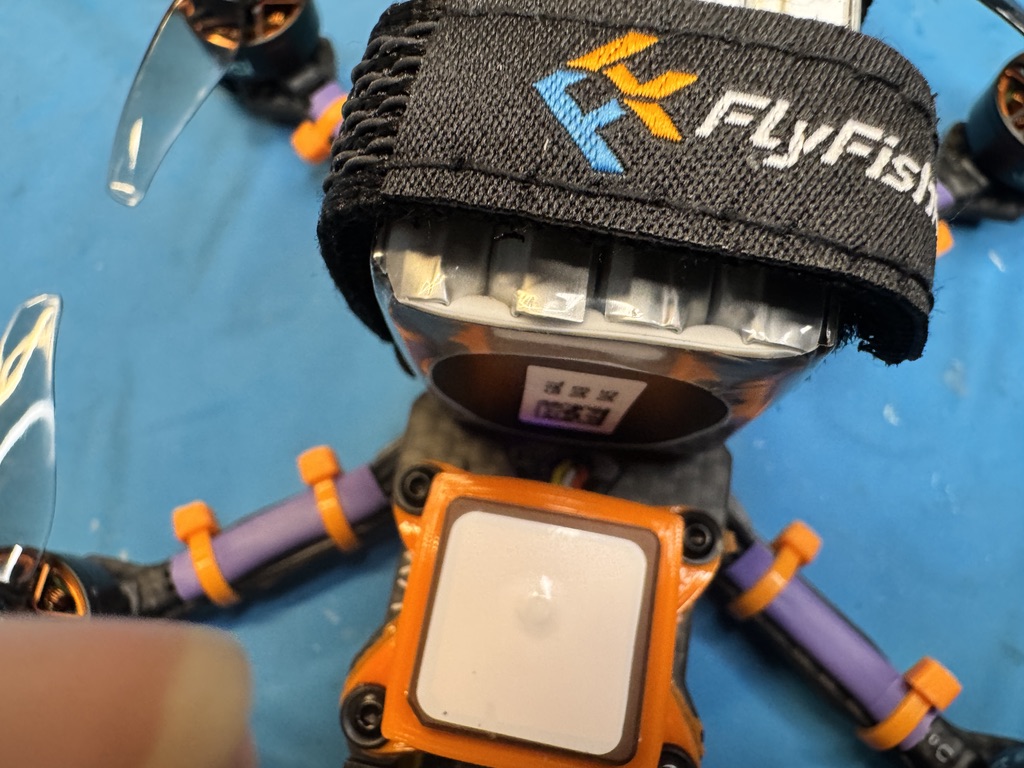
Actual BZ-181 M10 installation: give the antenna a clear view of the sky.
Outdoors, allow the receiver to obtain a usable fix and verify the configured readiness requirements. Do not lower safety thresholds merely to make the aircraft arm. Satellite count alone is not proof of position quality.
Practice in a simulator before flying. For the first outing, use a suitable open area, comply with local rules and keep people clear. Confirm the aircraft's actual mode behavior, make a short controlled flight, land with a conservative battery reserve and inspect for heat, loose hardware or damage. Disarm immediately after landing.
5 / Handover checklist
Complete these details with the builder before treating the package as flight-ready. Blank items are intentionally unresolved, not implied settings.
[ ] Aircraft condition and final included accessories
____________________________________________________
[ ] Charcoal Pocket Crush: selected model name
____________________________________________________
[ ] Receiver board marking / exact firmware target
____________________________________________________
[ ] Flight-controller firmware version and saved backup
____________________________________________________
[ ] Arm, buzzer and flight-mode switch assignments
____________________________________________________
[ ] Motor order, rotation and propeller orientation verified
____________________________________________________
[ ] Suitable 4S pack capacity, dimensions and connector
____________________________________________________
[ ] Failsafe behavior and any GPS Rescue test status
____________________________________________________
[ ] Control and video checks after shipping
____________________________________________________
Official references
Betaflight setup
Betaflight motor checks
Betaflight GPS Rescue
ExpressLRS binding
DJI O4 support
RadioMaster Pocket Crush
Happymodel receiver identification